
How to Stay Focused at Work and Achieve Your Goals Faster
.webp)
Every workday brings a dozen minor interruptions that chip away at concentration, from Slack pings to meetings that run late and that sinking feeling when you lose your train of thought. Need a quick reset to regain attention and get back into deep work? How to stay focused at work lays out simple mind and body techniques like posture checks, breathing resets, short movement breaks, time blocking, and single-tasking to help you stay entirely focused at work, minimize distractions, and complete tasks efficiently so you can achieve your goals faster and feel productive and in control of your day.
To make those steps easy to fit into a busy schedule, Pliability's mobility app offers short guided movement and posture routines, gentle reminders, and quick breathing exercises that reduce stiffness, clear the mind, and keep you on task.
Summary
- 70% of employees report feeling distracted at work, indicating that attention loss is pervasive and requires systemic solutions rather than isolated habit tweaks.
- Employees lose an average of 2.1 hours per day to distractions, a cumulative time drain that reduces opportunities for uninterrupted deep work and increases evening catch-up.
- Noise is a major disruptor: 60% of workers name it the most significant office distraction, and studies show that a quiet environment can boost focus by up to 48%.
- Small, regular movement and hydration moves the needle; for example, taking a 10-minute brisk walk after 60 to 90 minutes of desk work can reduce afternoon energy crashes and restore clarity.
- Physical discomfort also diverts attention, with people losing roughly 20 to 30 minutes a day to repositioning and pain, making ergonomic fixes a high-return investment.
- Time-boxing and simplification work: use Pomodoro cycles (25 minutes on, 5 minutes off), keep a single daily list of no more than five items, and mark one nonnegotiable win to prevent multitasking and decision friction.
This is where Pliability's mobility app fits in, offering quick guided mobility routines, breathing guides, and gentle reminders that restore posture, sharpen attention, and break up sitting time so teams can preserve focused work without leaving their desks.
What is Focus, and Why are You Having Trouble Focusing at Work?
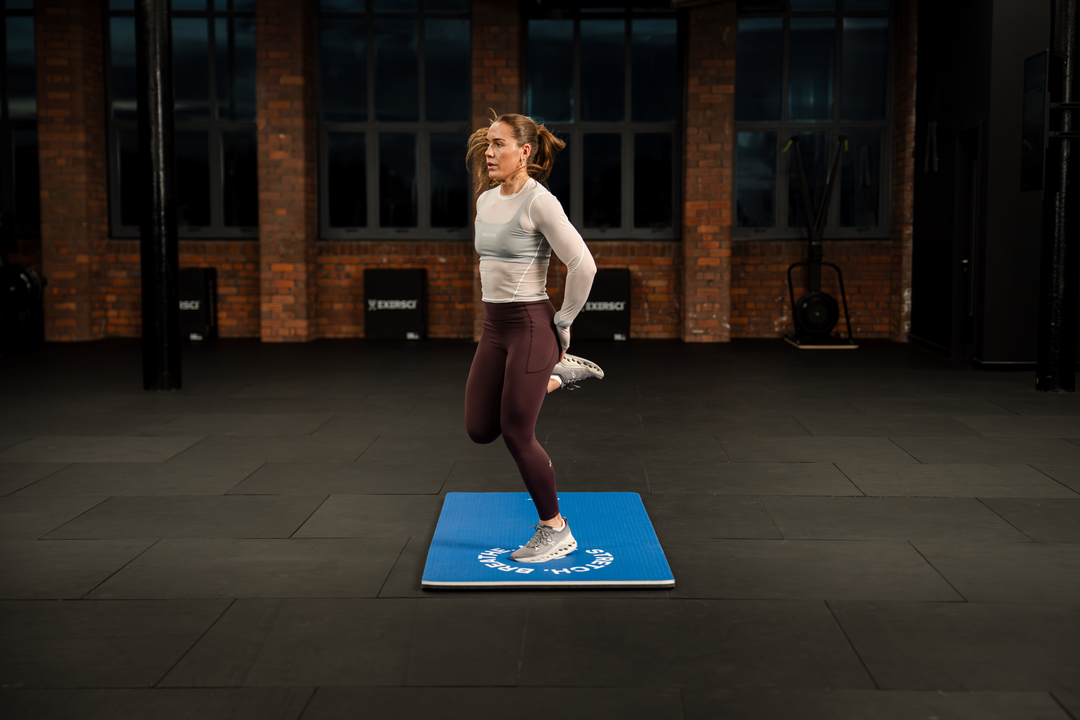
Focus means holding steady attention on one task long enough to finish it well, resisting both external interruptions and the mind’s own chatter. When you can do that at work, you get cleaner thinking, faster progress, and less of the low-grade anxiety that comes from an unfinished to-do list.
Why Does Focus Slip Away so Easily?
The usual suspects are familiar: endless pings, a habit of multitasking, raw tiredness, and fuzzy priorities.
Watch the same pattern across teams and roles:
People open their day with email, then drift into shallow work because the absolute priority wasn’t clearly chosen.
That steady friction makes deep work rare and makes the workday feel longer than it should.
Are Distractions Actually That Widespread?
Yes, and it shows up in measurable ways. The Distraction White Paper reports that 70% of employees say they feel distracted at work, a clear signal that attention is a common, not niche, problem across industries. When attention is the baseline problem, fixes that only tweak habits will underperform.
What Does The Lost Time Look Like in Real Terms?
It’s not just one interrupted task; it’s the cumulative drag of switching costs and recovery. The same Distraction White Paper found that employees spend an average of 2.1 hours per day dealing with distractions, resulting in fewer windows for uninterrupted thinking and more nights spent putting out small fires. That time loss explains why so many people end the day feeling busy but unfinished.
What Emotional Patterns Show Up When Focus Fails?
This challenge appears across high-achieving individuals and stretched teams: overwhelm makes starting hard, exhaustion erodes willpower, and constant mental chatter steals engagement. When teams are overloaded, they default to busy work because it feels doable; when people are sleep-deprived, they reach for quick wins instead of the more complex, higher-value tasks. Those predictable failure modes tell us where to intervene, not that someone is lazy or undisciplined.
Improving Team Focus by Centralizing Context
Most teams manage focus with calendar blocks and ad hoc rules, and that makes sense.
The familiar approach is practical, low-effort, and feels like progress. What it misses is the hidden cost:
- As context fragments
- Meetings and messages multiply
- Ownership blurs
Teams find that platforms like Pliability centralize context, reduce the need to switch between tools, and enable longer stretches of focused work without adding more meetings. If you want to test whether a different workflow will stick, consider a short trial to see how your team’s day shifts.
Think of your attention like a browser with too many tabs open; solving focus is about closing the tabs you never use, not pretending you can work with them all at once.
But the part that surprises most people is how deeply habit and environment conspire to steal attention, and that’s where things get complicated and unexpectedly human.
Related Reading
- Mental Training Techniques
- How to Increase Presence of Mind
- Mindful Morning Routine
- Reducing Anxiety Without Medication
- How to Train Your Mind
- How to Release Tension in Body
- Why Do I Get So Tired in the Afternoon
- Mindful Stretching
- How to Get Rid of Brain Fog
How to Stay Focused at Work

Choosing the right mix of tactics depends on your habits and constraints, not a one-size-fits-all checklist. Use targeted strategies to reduce multitasking, protect attention, and make time management frictionless, so focus becomes predictable rather than accidental.
1. Proper Nutrition and Physical Activity
Food and movement set the baseline for mental clarity. Drink water regularly, favor protein and healthy fats (think salmon, walnuts, Greek yogurt), and keep refined sugar and jittery caffeine to a minimum so energy stays steady across focus blocks. Short walks between sessions raise mood and reset working memory, and a five-minute mobility routine before a long block reduces the physical itch to move.
According to The Chief Happiness Officer Blog, 85% of employees report being most productive when working from home. Arrange your nutrition and movement around the environment where you actually do your best work.
Pliability: Focused Mobility for Performance and Recovery 🧘
Pliability offers targeted mobility sequences that slot into short breaks to help you return to focused work with less stiffness and fewer interruptions. Pliability provides a fresh take on yoga, tailored for performance-oriented individuals and athletes.
Sign up today to get 7 days absolutely free on iPhone, iPad, Android, or our website, to improve flexibility, aid recovery, reduce pain, and enhance range of motion with our mobility app.
2. Create Distraction-Free Zones
Clutter is cognitive friction. Clear a 2-foot radius around your dominant hand, keep one current notebook or document visible, and archive everything else. If you work in an office, acknowledge the reality that 60% of workers say that noise is the biggest distraction in the office, then use that fact to justify practical countermeasures: noise-cancelling headphones, soft signage for quiet blocks, and a predictable place for colleagues to leave non-urgent notes.
Tidy a single digital area too, for example, an inbox folder named “Today,” and spend 15 minutes at day’s end to reset it. This small habit prevents Monday-morning paralysis.
3. Try a Time Management Strategy
If you burn out quickly, use short, intense stints, such as the Pomodoro Technique, to reduce fatigue and create micro-commitments. If you need structure to resist reactive work, block your calendar with themed days or half-days when you battle endless scope creep, timeboxing forces a finish line, and reveals where you underestimate work.
If your energy peaks early, “eat the frog” first; if impact matters more than busyness, apply the Pareto Principle and focus on the 20 percent that yields 80 percent of results. Try one strategy for two weeks, measure output, then iterate.
4. Make Lists
A written list converts anxiety into action.
Use a short triage system:
- Three must-dos
- Two should-dos
- One maybe
Capture everything as it arrives, then prune ruthlessly during your next planning block. Lists work because they convert fuzzy commitments into actionable items, reducing decision fatigue and helping you protect focus windows.
5. Set Reasonable Expectations
When expectations outrun reality, motivation collapses. At the start of the week, assign time estimates to your top tasks and block them on your calendar.
Say no by default to new asks that lack a deadline or clear priority. Set simple boundaries, such as two “open” communication windows per day, to prevent reactive work from consuming creative time.
6. Reduce Notifications
Turn off non-essential pings, then create exceptions for genuinely urgent channels. For mobile, use a focused mode that allows calls from a short VIP list.
If you share a workspace, combine visual cues with divided focus hours so people learn when to interrupt and when to wait. Small acts of notification hygiene compound into large blocks of uninterrupted work.
7. Take Advantage of Your Calendar
Treat your calendar like a contract:
- Block dedicated focus sessions
- Mark them as busy
- Set them to recur
Use clear labels, for example, “Deep Work: Design” rather than vague titles, so teammates know what you are safeguarding. When you consistently protect your calendar, others learn to schedule around it.
8. Use Focus Tools
Choose one tool that enforces limits and stick to it: a site blocker for browser drift, a concentration timer for session discipline, or a simple task manager that surfaces only what matters now. Aim for tools that remove choices rather than adding configuration, because each new option invites procrastination.
9. Get Ergonomic Office Furniture
If aches or numbness break your focus two to three times per week, ergonomics is no longer optional. A sit-to-stand desk, a supportive chair, and a screen at eye level reduce micro-discomfort that can cost five to ten minutes per interruption. Think of ergonomics as reclaiming the minutes that add up into lost hours each month.
10. Make a Playlist for Focus Time
Use instrumental or ambient tracks that mask background chatter without demanding attention. Build a short playlist tied to specific tasks so your brain learns the association.
Play the same set for coding, a different one for editing. Over time, the playlist itself becomes a cue to enter deep work.
11. Take Breaks
Schedule brief, deliberate breaks that shift your eyes and posture every 25 to 90 minutes, depending on your task. Use those breaks for breathing, a short walk, or mobility work that reboots cognition. When teams adopt structured micro-breaks across a week, they often report calmer afternoons and clearer returns to work.
12. Stop Multitasking
Commit to single-task windows with a visible timer. Before switching tasks, write a one-line note on where you left off; it saves time on reconstruction.
Multitasking is not a badge; it is a tax on quality and memory. Reduce context switching to improve accuracy and speed.
13. Create Triggers to Tell Your Brain It’s Time to Focus
A cognitive trigger can be as simple as a cup of the same tea, a particular playlist, or a clean desk ritual. After training a remote product team to use a five-item pre-focus checklist for two months, they reported fewer false starts and a stronger sense of momentum because the ritual removed the question of whether to begin.
14. Tap Into Your Biological Clock
Map one week by noting three peaks and three low-energy periods, then schedule accordingly. Use demanding creative work during peaks, and routine or administrative tasks during troughs. When constraints force misalignment, shorten focus blocks and increase recovery frequency to maintain performance.
15. Prioritize Your Well-Being
Sleep, movement, and social connection are foundation stones. If you notice persistent irritability or frequent mental drift, treat that as a signal to reset priorities, not a personality flaw. Small, daily investments in rest and activity prevent burnout and preserve long-term concentration.
16. Practice Quiet
Designate short pockets in the day as guaranteed quiet sessions and communicate them clearly. Even five to ten minutes of guaranteed solitude resets cognitive load and allows planning, not just reactive work. Build the habit gradually so it survives real-world interruptions.
17. Leverage Technology
Use automation to remove repetitive decisions, for example, templates for common emails, scheduled report generation, and AI helpers for drafting. Treat AI as a force multiplier for low-value work so human attention can concentrate on judgment and synthesis. Accept imperfect outputs as drafts, then apply focused review to preserve quality.
18. Delegate When Possible
Delegate routine, low-decision tasks, and anything that consumes regular time but not strategic thinking. Clear role boundaries and a short training checklist help others confidently own their work and reduce your task queue. Delegation increases bandwidth; use the newly freed time for one or two high-impact tasks.
19. Reflect and Adapt
Every two weeks, evaluate what worked and what did not with one concrete metric: completed deep tasks, number of switches, or subjective clarity rating. When a method fails, diagnose the constraint, then swap a single variable. Keep experiments short and measurable so you learn fast.
20. Sleep
Sleep consolidates memory and restores executive function. If you notice repeated fuzzy thinking, reduce late-night stimulation and prioritize consistent sleep windows. When sleep improves, decision-making sharpens, and the need for compensatory routines diminishes.
Ineffective Traditional Methods for Managing Digital Interruptions
Most teams try to manage interruptions with ad hoc rules and individual willpower, because this feels familiar and requires no new systems. As requests multiply and async work grows, that approach fragments context, wastes time reconciling missed info, and turns short chats into hours of follow-up.
Platforms like mobility app centralize focus modes and scheduled routing, so messages arrive in controlled batches, and teams preserve long blocks of attention while keeping decision trails intact.
That simple pattern works until you hit the one subtle obstacle nobody talks about.
Related Reading
- How to Beat Afternoon Slump
- How to Improve Working Memory
- Yoga for Focus
- Neuromotor Exercise
- Brain Gym Exercises
- Mind Body Exercise
- Stress Relieving Stretches
- Exercises for Brain Fog
- Mental Focus Exercises
- Morning Brain Exercises
Can a Quiet Work Environment Enhance Focus?
Quiet or controlled environments shape attention by reducing the small demands that drain working memory, making it easier to carry a thought to completion and catch subtle errors. The right room reduces interruptions and mental clutter, but the best setup depends on the task, the individual, and the social rules that govern the space.
What Exactly in a Room Steals Attention?
Unpredictable sounds, shifting visuals, and the expectation of interruption each force your brain to monitor the environment, which consumes executive resources you would otherwise use for thinking. The effect is not cosmetic; it is cognitive, which explains why studies matter: A quiet work environment can improve focus by up to 48%. Bureau Blog, and that degree of change shows small sound shifts free up real mental bandwidth.
When Should You Choose Open Plan or Private Rooms?
If the day’s work requires tight coordination, rapid signaling, and many short interactions, an open plan helps because it lowers the friction of quick syncs. If your work demands working memory, complex problem-solving, or long stretches of writing, private rooms or scheduled quiet windows always win.
Treat this as a constraint-based decision:
- When your deliverables require deep focus, convert shared time into shared signal
- When collaboration dominates, accept a higher level of interruption while protecting pockets of silence elsewhere.
Who Gains the Most From Quieter Spaces?
This pattern appears across contexts, but it is evident in high-stress roles where emotional load compounds cognitive load. In clinical environments, for example, people managing cyclical mood and cognitive challenges report that loud, chaotic shifts amplify guilt and internal noise, making it much harder to maintain concentration during critical tasks. When emotional volatility is part of the day, space design is not comfort; it becomes safety.
How Do You Test Whether Changing the Room Actually Helps?
Run a short, controlled experiment. Pick one measurable outcome, such as the number of uninterrupted deep work sessions, the error rate on detail tasks, or the self-rated concentration on a morning check-in.
Try a two-week A/B:
- Week A follows the usual setup
- Week B applies one change only
For example:
Booking a 90-minute quiet block or adding visual privacy screens. Track the chosen metric and a simple subjective score each day.
The result will indicate whether the investment is effective in reducing noise or merely a placebo.
Which Design Elements Matter Beyond Silence?
Noise is only one axis. Visual privacy, predictable lighting, stable temperature, and a straightforward “occupied” signal matter because they reduce the micro-decisions that break flow. Acoustic absorption, solid partitions for focus rooms, and defined circulation paths reduce surprise interruptions; plants and warm light reduce physiological arousal that otherwise fragments thought.
Practical investments here pay off: noise reduction in offices can lead to a 25% increase in productivity according to Bureau Blog, which is why design choices should be evaluated as operational improvements, not perks.
How Do You Change Behavior Without Tearing Down The Office?
- Start with social contracts and low-friction signals. Bookable focus rooms, visible “do not disturb” indicators, and a simple norm of one silent hour mid-morning are more effective than expensive retrofits.
- Expect resistance; most teams tolerate background noise because it feels cheaper than scheduling. The hidden cost becomes apparent as errors increase and completion windows lengthen.
- Treat the first month as an experiment, collect simple metrics, and use the results to justify the next step.
Think of the workspace as a filter, not a fortress:
Minor fixes tighten the signal and multiply the time you actually get to think.
That relief feels real, but what comes next will reveal a surprising lever most teams overlook.
Related Reading
- Mental Training Exercises for Athletes
- Brain Biohacking Exercises
- Cognitive Activities for Adults
- Improve Attention to Detail Exercises
- Cognitive Flexibility Exercises
- Gentle Movement Exercises
- Energy Exercises
- Micro Workouts
Improve Your Flexibility with Our Mobility App Today | Get 7 Days for Free on Any Platform
Stiffness, nagging aches, and low energy quietly chip away at concentration, so sustaining deep work feels like trying to play an untuned instrument. Try Pliability, because short guided mobility routines, daily-personalized programs, and a quick body scan help pinpoint restrictions, reduce pain, improve posture, and protect your energy and attention so you can lock in longer spans of focused, productive work; start with a 7-day free trial on iPhone, iPad, Android, or the web.
.jpg)